One streaming experience on every screen
UX and iOS consulting: over 600,000 users, with mobile, smart TV and desktop on one design language.
The problem
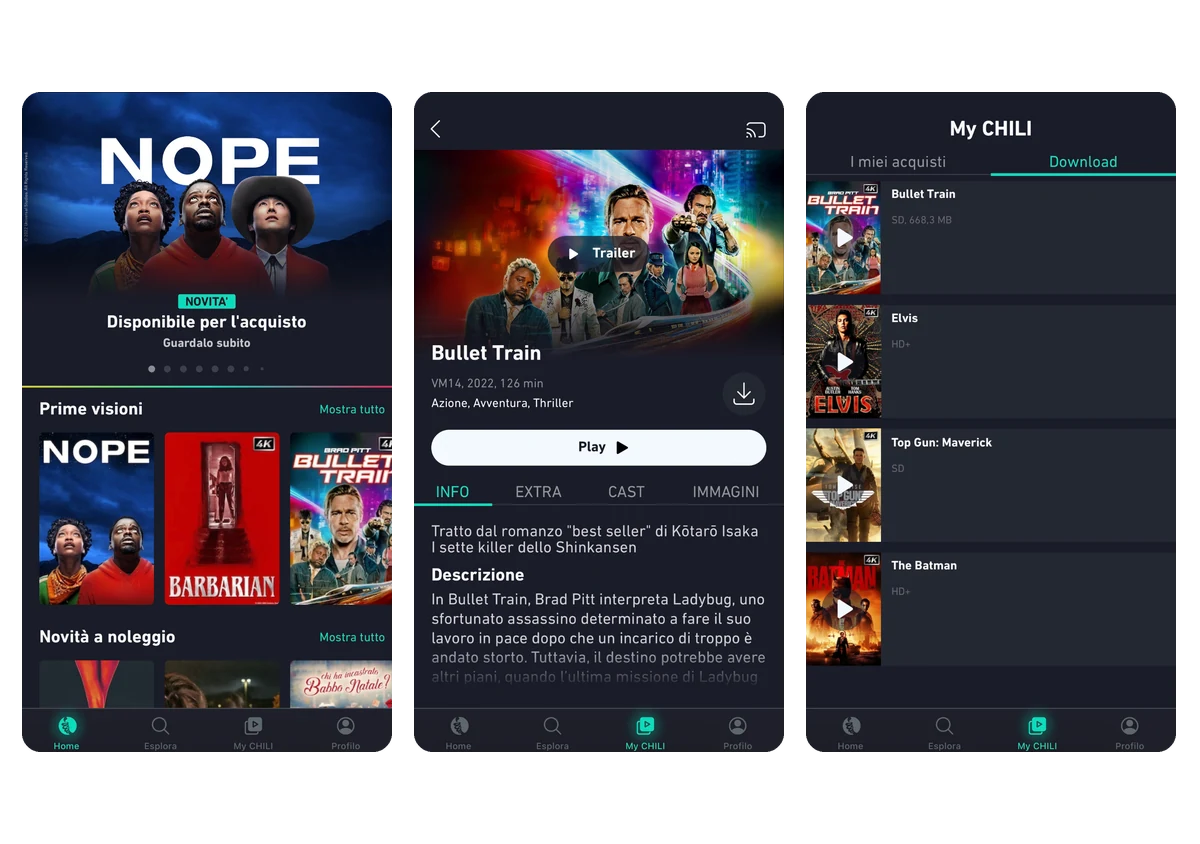
The existing mobile app wasn’t keeping up with the catalogue, and every platform (mobile, smart TV, desktop) behaved differently, at a high cost to both users and the team.
My role
With the in-house design team I worked on the app redesign and on aligning the experience across every supported device, using the existing metrics as a shared starting point.
The impact
The app launched in four European countries with over 600,000 users, sharing one navigation model across iOS, Android, smart TV and desktop: a single set of patterns instead of four different products. On the back of the platform’s numbers, Chili TV closed content deals with Warner Bros, Hulu and others.
One structure from phone to tablet
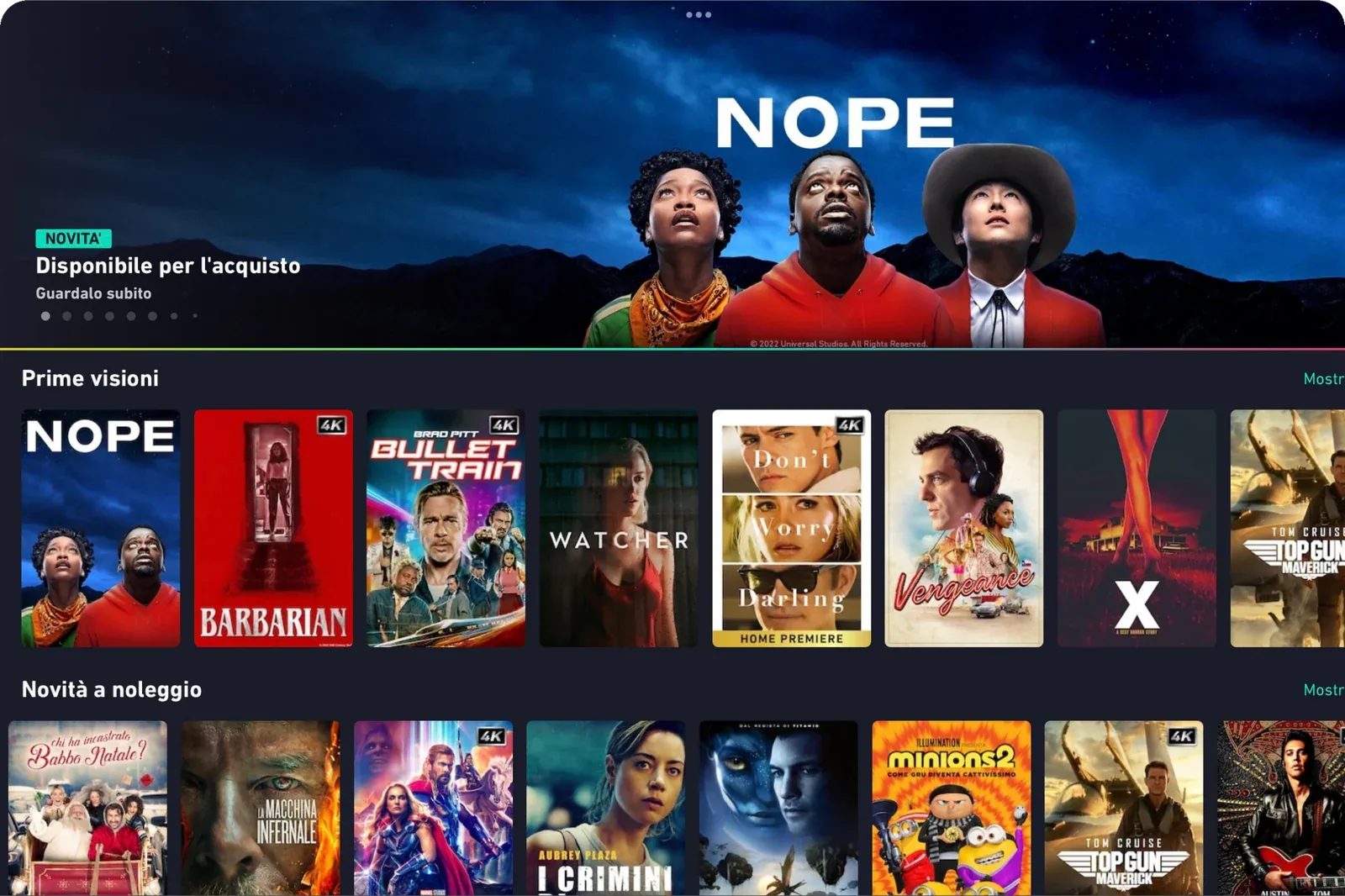
The iPad home uses the same hierarchy as the phone: a hero for the title of the moment with a single action, then horizontal rows named by what you want to do, premieres or new rentals, and the quality badge printed on the poster instead of in the title. The tablet shows more posters per row; the order, the names and the actions stay the same.
Alternatives compared: three apps, or one model
How the experience should work across phone, tablet, smart TV and desktop.
Three apps that resemble each other
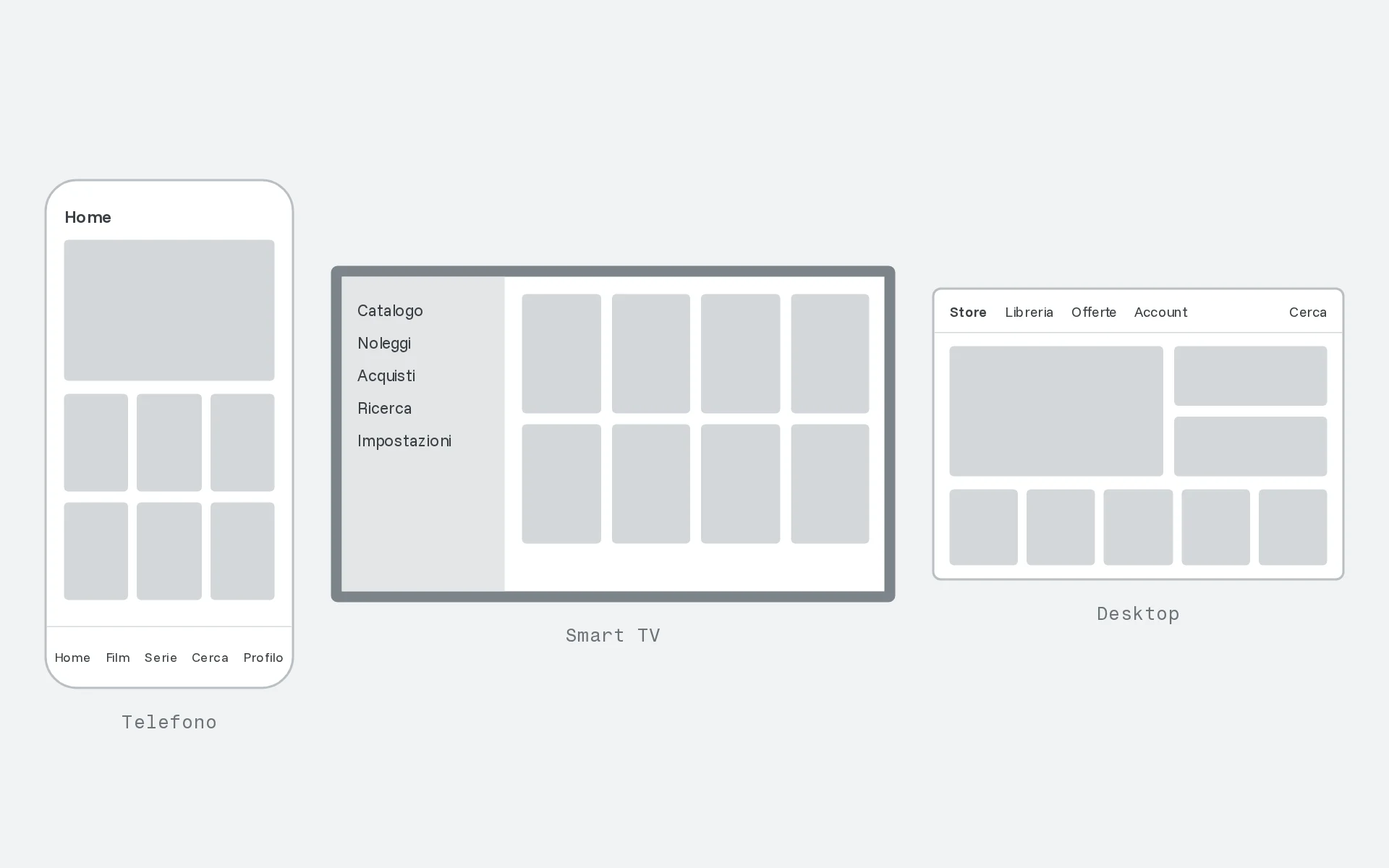
Each platform tuned on its own, around its own input.
- Every team optimises its own device
- People relearn the catalogue on every screen, and four products to maintain
One navigation model, three kinds of input
A single structure adapted to touch, remote and mouse: the gesture changes, where things live does not.
- One set of patterns instead of four products
- Rows named by intent, in the same order on every device
The app launched in four European countries with over 600,000 users, sharing one navigation model across iOS, Android, smart TV and desktop.
Key decisions
One navigation model, three kinds of input.
Instead of three apps that resemble each other, a single structure adapted to touch, remote and mouse: the gesture changes, where things live does not.
Catalogue before effect.
The priority was finding something to watch within seconds; motion came afterwards, only where it helped explain where you are.
Technical limits on the table from day one.
Coming from iOS development I knew what the smart TV would not sustain: unfeasible ideas were dropped during design, not during build.