National platforms for millions of users
UX/UI designer and lead of 3 frontend developers. One design system across several vendors.
The problem
Public digital services used daily by students, teachers and administrations, grown by accretion: inconsistent flows between systems, bureaucratic language, no shared library across vendors, and no effective way of organising work between the teams.
My role
Two roles at once: UX/UI designer on the flows and interfaces, and lead of three frontend developers across parallel projects. I set the shared design system and workflows, agreed priorities with product and engineering, and wrote the specs and technical documentation that cut friction in the design-to-dev handover. With no working organisation between the teams, I set one up in Asana, bringing the tickets of every team into one place.
The impact
One design system adopted by teams across multiple vendors: components get reused instead of redrawn for every project, and services that used to look like different companies now read as one. After the redesign, use of Sigillo went up 200% and the average rating in the Ministry’s user surveys rose from 2.5 to 4.5 out of 5. In the handover with the three frontend developers, post-delivery revision rounds went from several per release to a single one.
From measuring the old pages to measuring the new ones
A baseline first
Heatmap tests on the existing pages, to see how people really used them.
One direction, one board
A shared model for navigation, hierarchy and tone on .italia, and every team’s tickets organised in Asana.
Every state, clickable
Interactive Axure prototypes for desktop and mobile, with empty, error and confirmation states.
Shown, then measured
Reviews with executives of the Ministry and Leonardo, and heatmap tests on the redesign.
Used three times as much
Sigillo use up 200%, survey rating from 2.5 to 4.5 out of 5.
Research and validation: evidence on both sides of the redesign
Before designing, I ran heatmap tests on the pages people were using, to have a baseline of where attention and clicks went. The same test, repeated on the redesign, let us compare before and after on the same terms instead of arguing about taste.
The proposals were presented in calls with executives of the Ministry and of Leonardo, walking through the interactive Axure prototypes rather than static screens, so decisions were taken on the real behaviour of each flow, including its empty and error states.
Sigillo: work organised by what you have to do
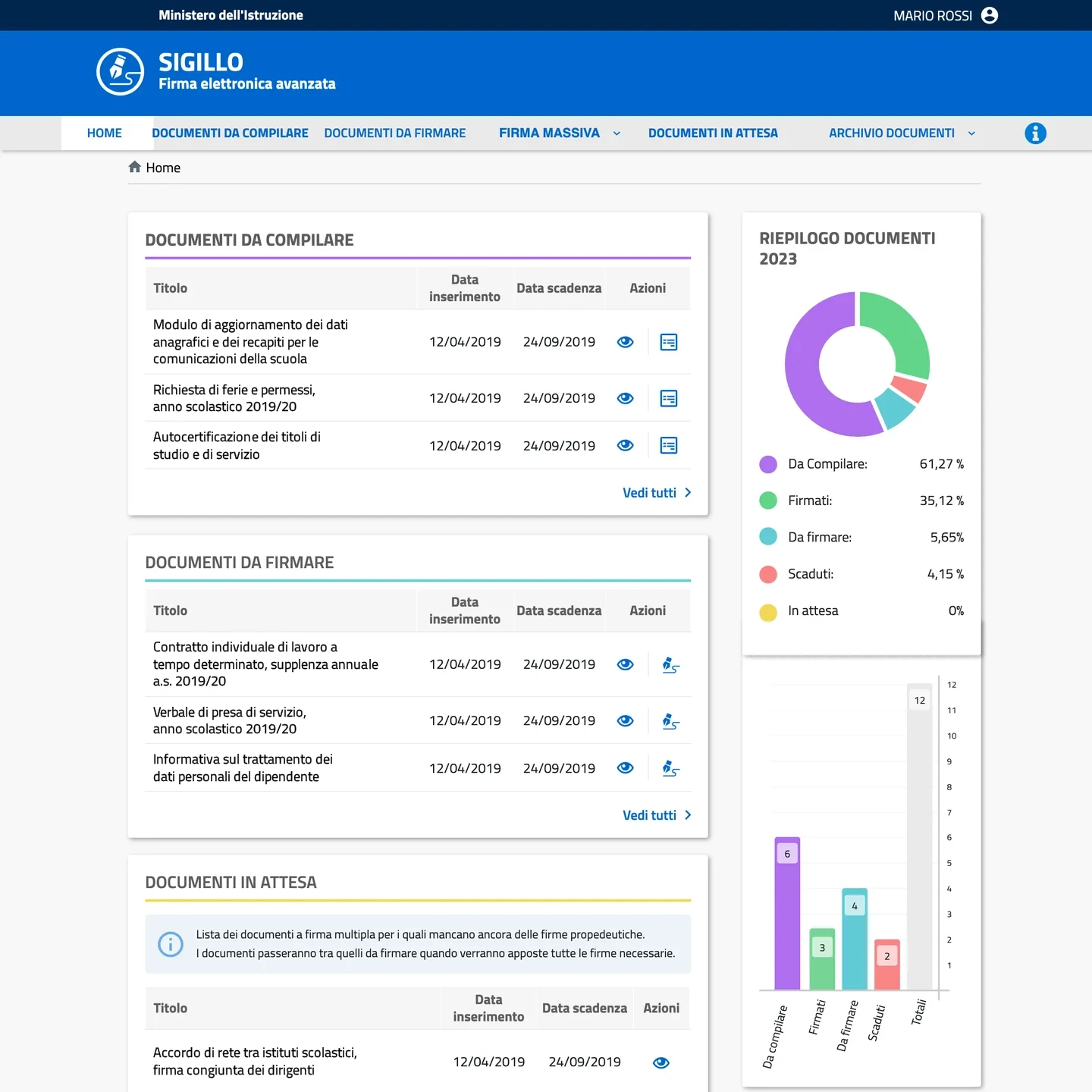
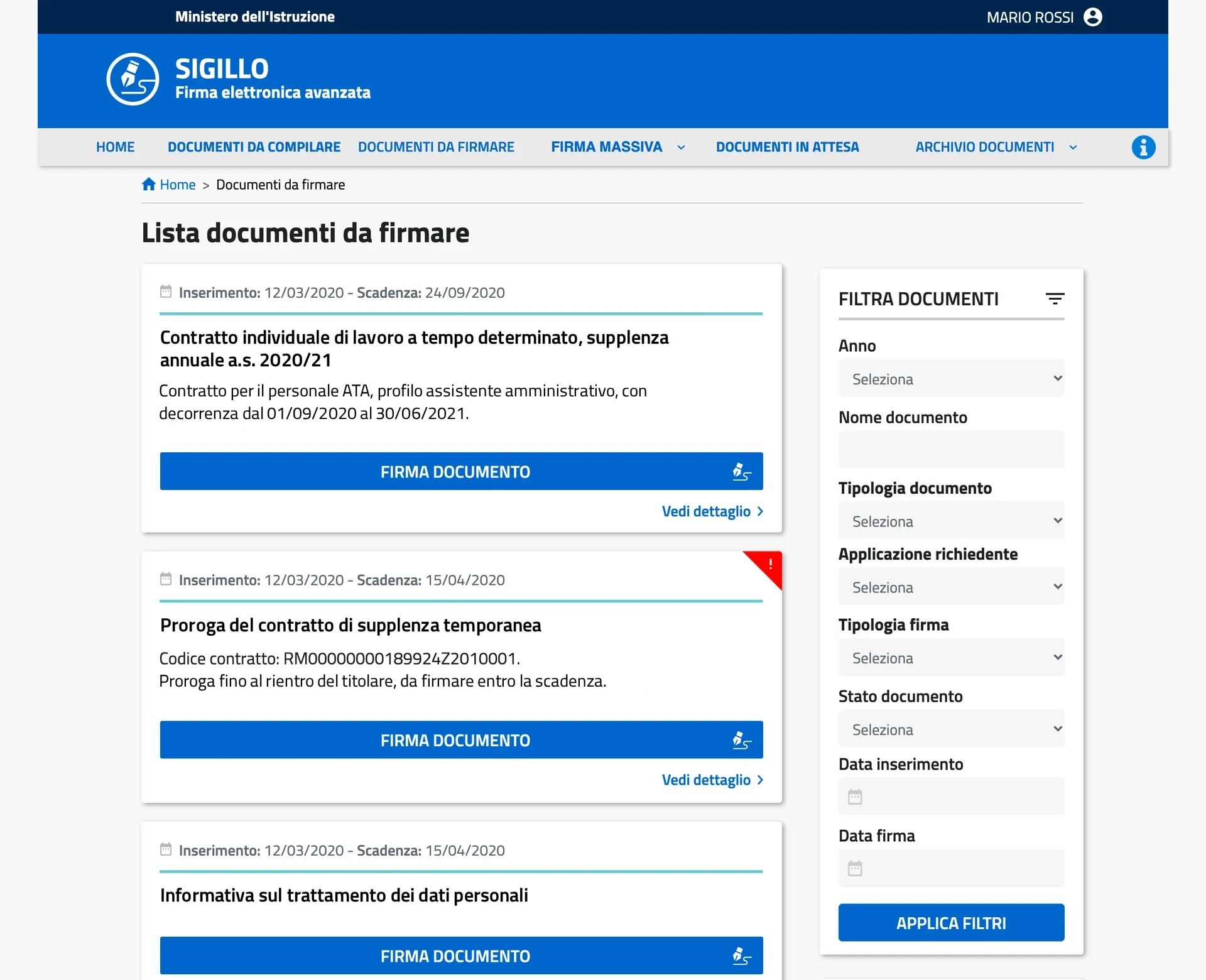
The navigation follows the state of a document, not the office that sent it: what to fill in, what to sign, what is waiting for someone else, and what is done.
- Documents to fill in
- Documents to sign
- Documents waiting, with the reason
- Year summary by status
- To fill in
- To sign
- Single signature
- Several signers, in a set order
- Bulk signature, for administrators
- Waiting for earlier signatures
- Archive
- Read-only document card
- Signature fields, by page
- Acknowledgement
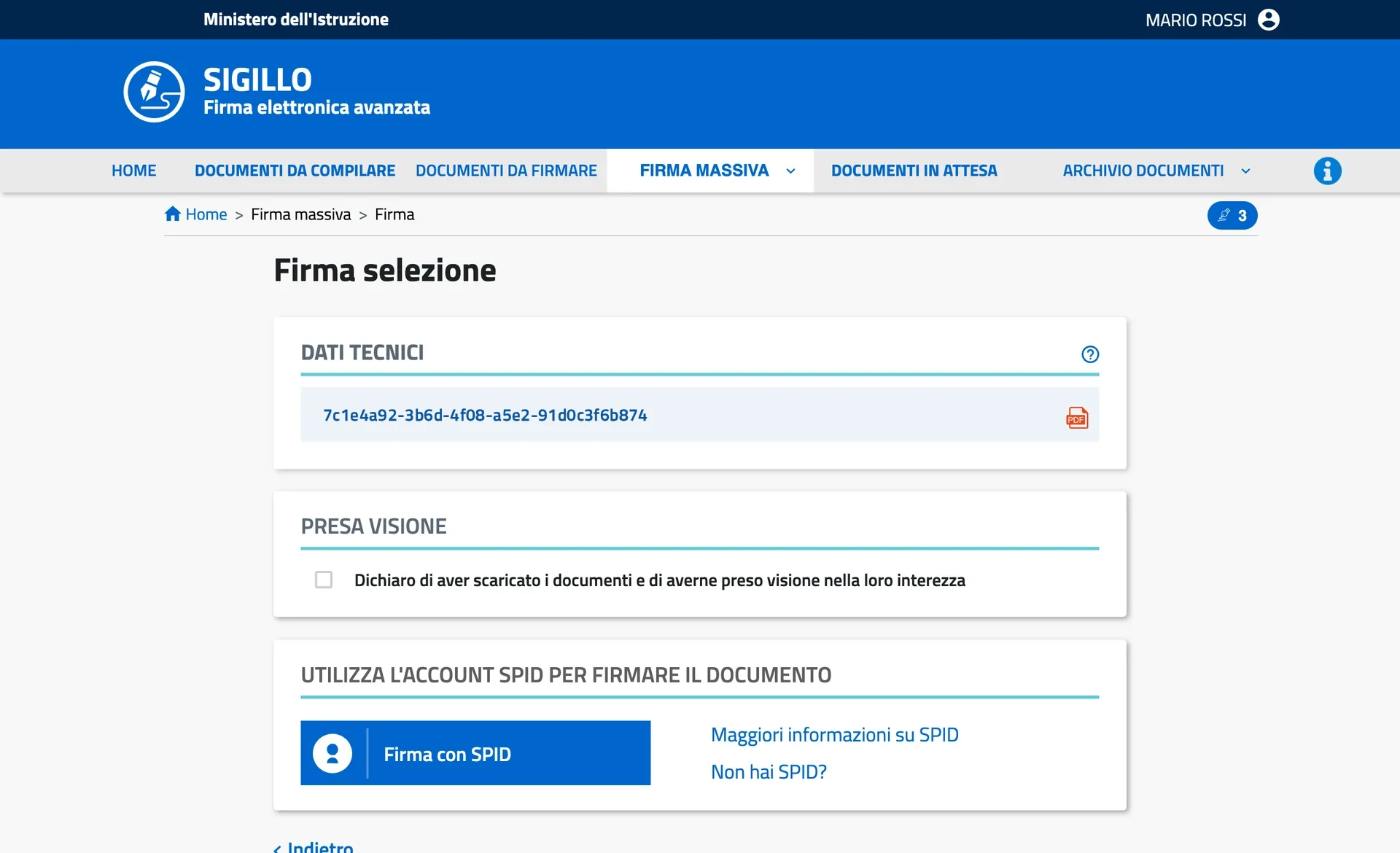
- Sign with SPID
- Signed PDF and list of signers
Built on .italia, the official design system of the Italian public administration, through a component library shared by every vendor.
Sigillo: one way to sign, whatever the document
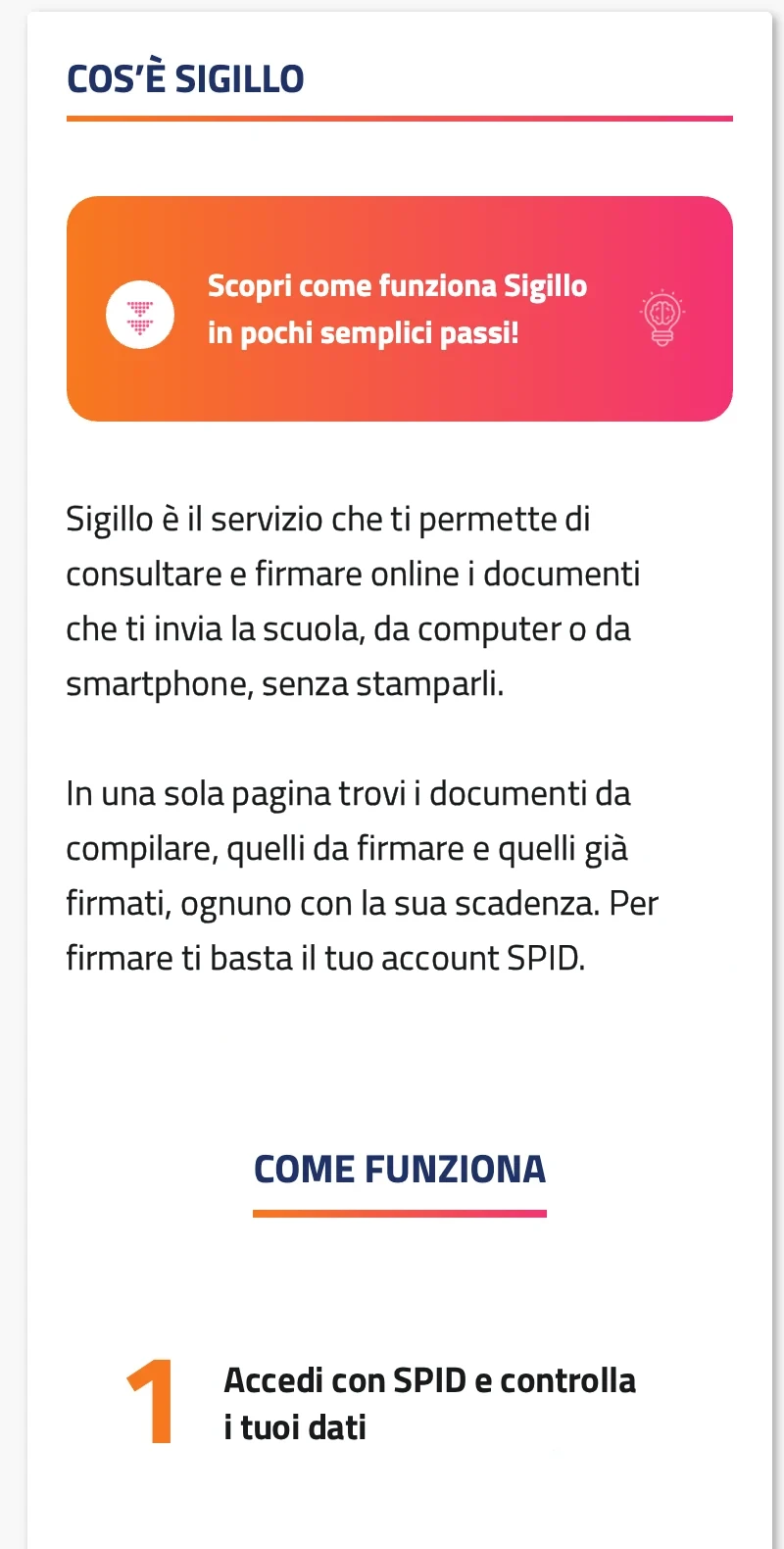
Sigillo is the advanced electronic signature platform for school staff: from one place they sign, fill in or acknowledge official documents with their SPID digital identity. A single document, one that needs several signers in a set order, and a bulk signature for administrators all go through the same detail page and the same SPID step, so nobody learns the product twice. Documents waiting for earlier signatures stay visible with an explanation instead of disappearing. I designed every flow as an interactive Axure prototype for desktop and mobile, including empty, error and confirmation states and a dedicated first access for minors.
- One documentA single signer
- Several signersIn a set order
- Bulk signatureAn administrator, many documents
- Same page
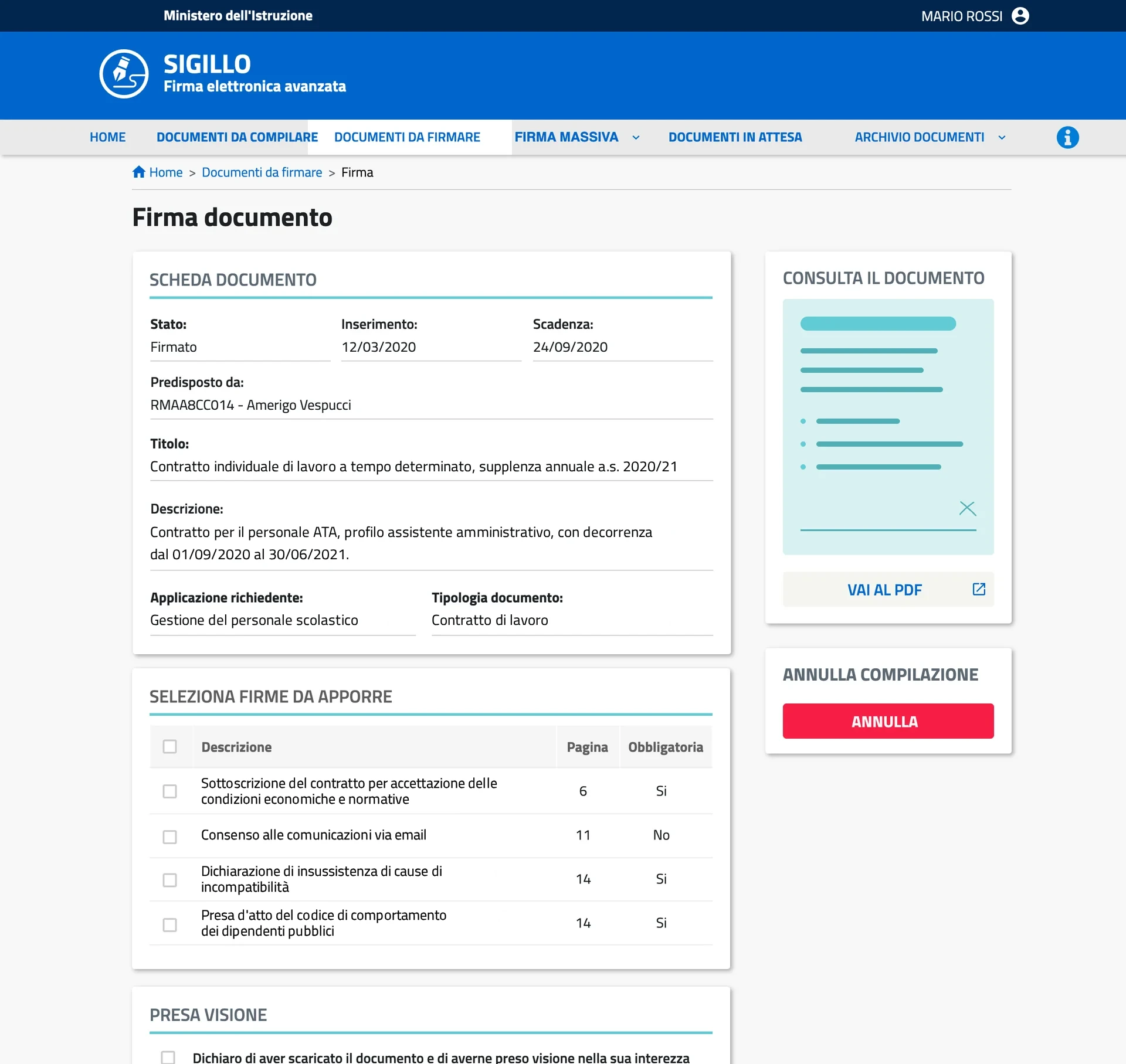
Document
Card, fields to sign, PDF.
- Same step
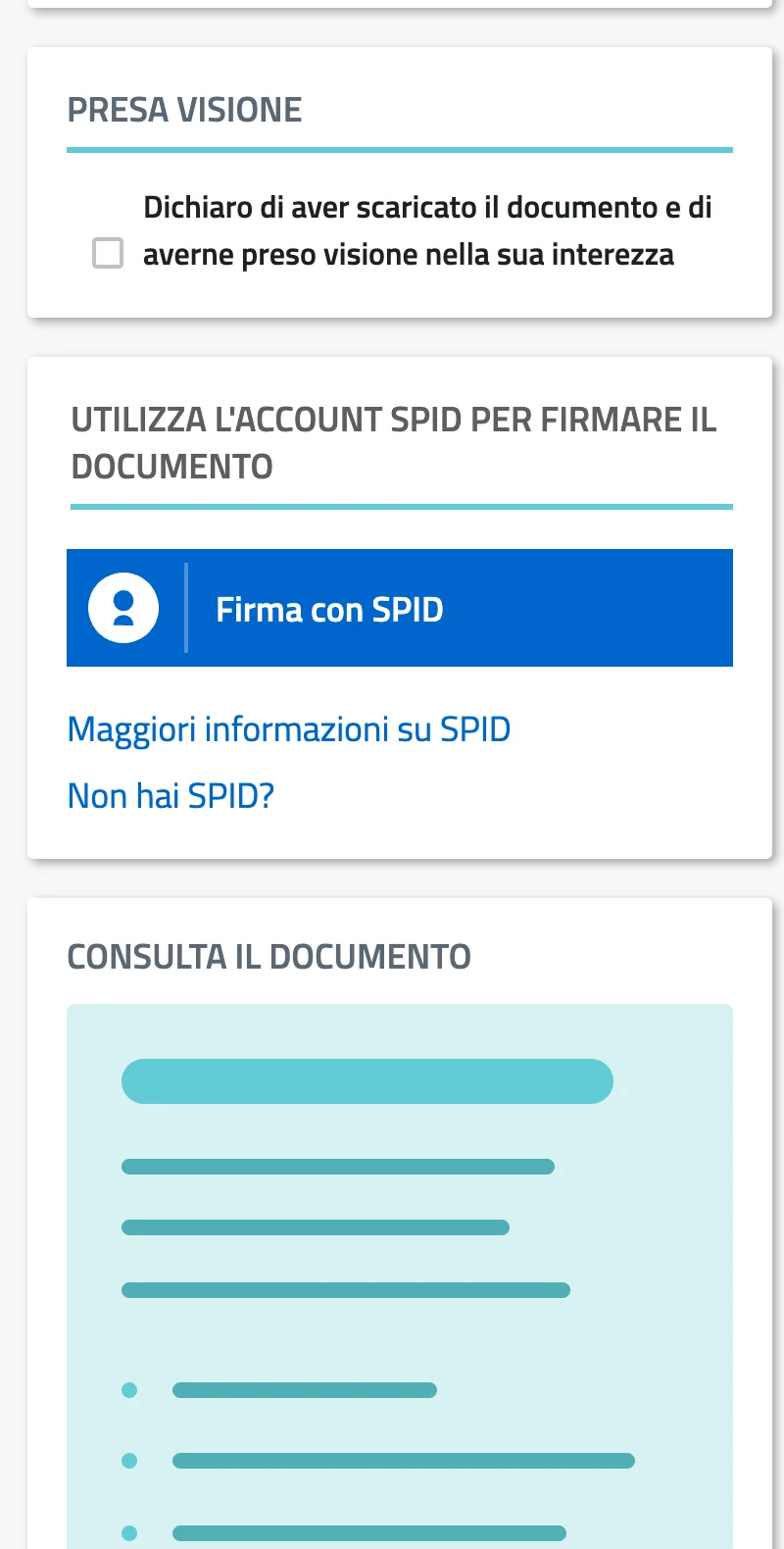
Acknowledge and sign
One SPID step.
- Same result
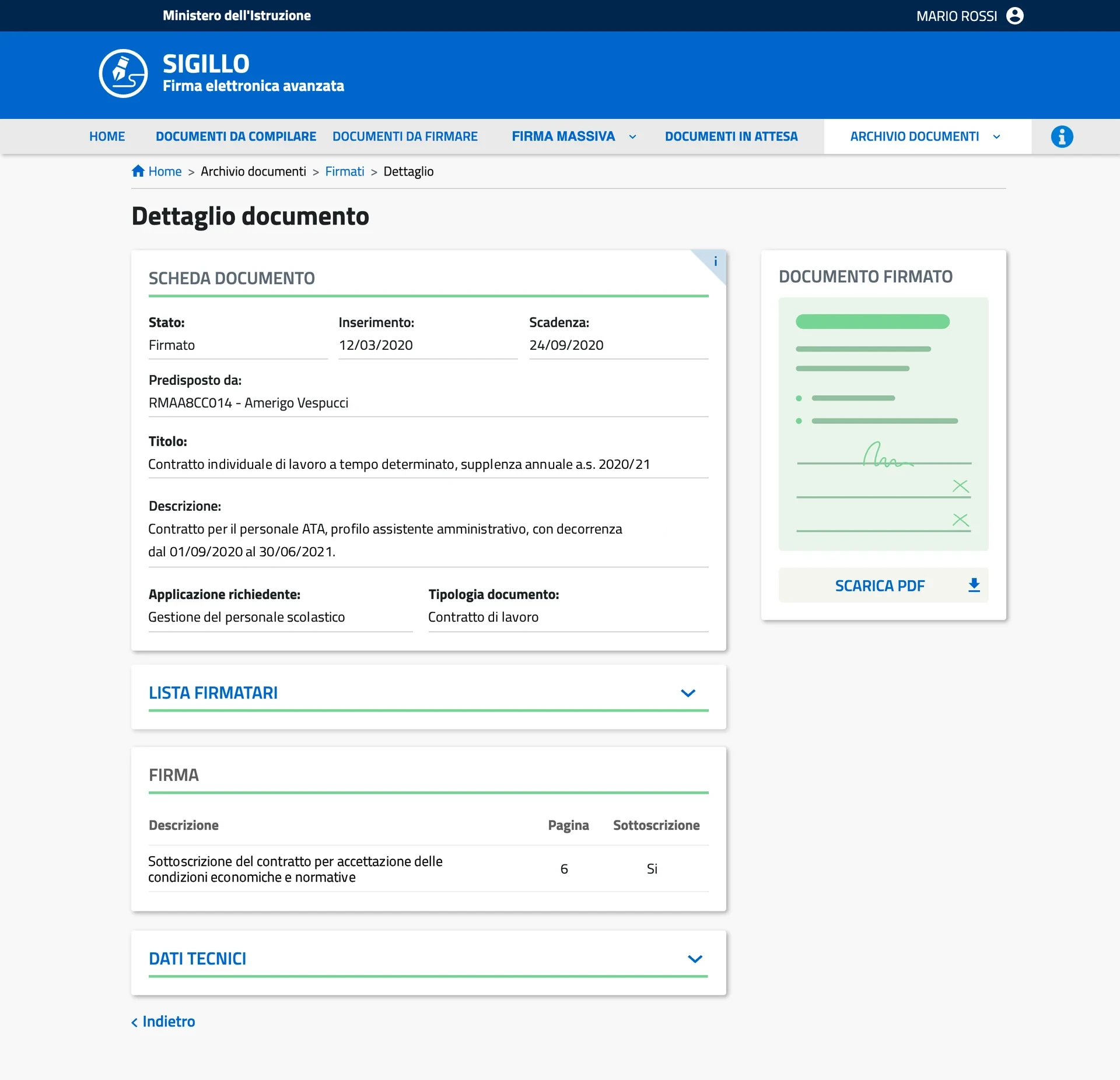
Signed
PDF and signers.
A/B test: the same heatmap test on both versions
The heatmap test run on the existing pages, where attention and clicks went, was repeated on the redesign under the same conditions, so the two versions were compared on the same terms.
Baseline
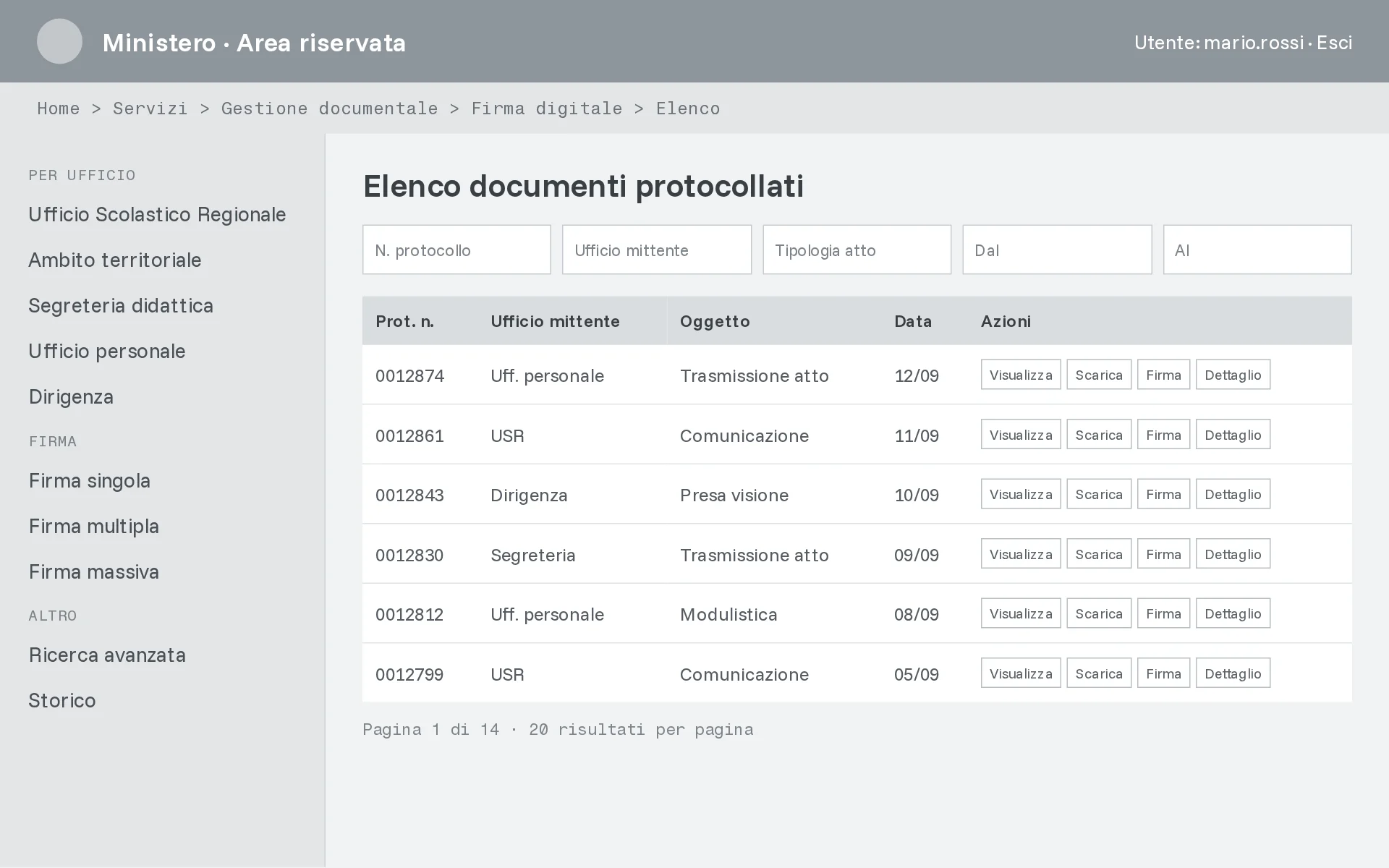
The services as they were.
- Grown by accretion, inconsistent between systems
- Bureaucratic language
- Different patterns from vendor to vendor
Organised by what you have to do
Sigillo after the redesign.
- Navigation by document state: fill in, sign, waiting, archive
- One detail page and one SPID step for every signature type
- Dates first, one primary action per document
- Waiting documents stay visible, with the reason
After the redesign, use of Sigillo went up 200% and the average rating in the Ministry’s user surveys rose from 2.5 to 4.5 out of 5.
Key decisions
Design system first, screens second.
With several vendors on the same ecosystem, agreeing components and rules up front cost time at the start and paid it back on every project after.
One shared direction across every section, built on the .italia design system.
Starting from the official design system for Italian public administration, I set a common model for navigation, hierarchy and tone of voice across all the services: compliance with the national standard, and recognisable paths from one section to the next.
Document for people who were not in the room.
Specs were written for teams I had never met, so every component carries states, edge cases and accessibility notes: the condition for the system surviving a change of vendor.
Outcome
- Use of Sigillo
- +200%after the redesign
- Average rating, Ministry user surveys
- 2.5 → 4.5out of 5, before and after the redesign
- Revision rounds per release
- Several → 1in the handover with three frontend developers