Launch heroes you can play
Four interactive launch announcements built in SVGator: hold a button, tear a box open, flip a pass, deal a deck of cards. Each one is a template, so a second brand is a set of edits, not a new animation.
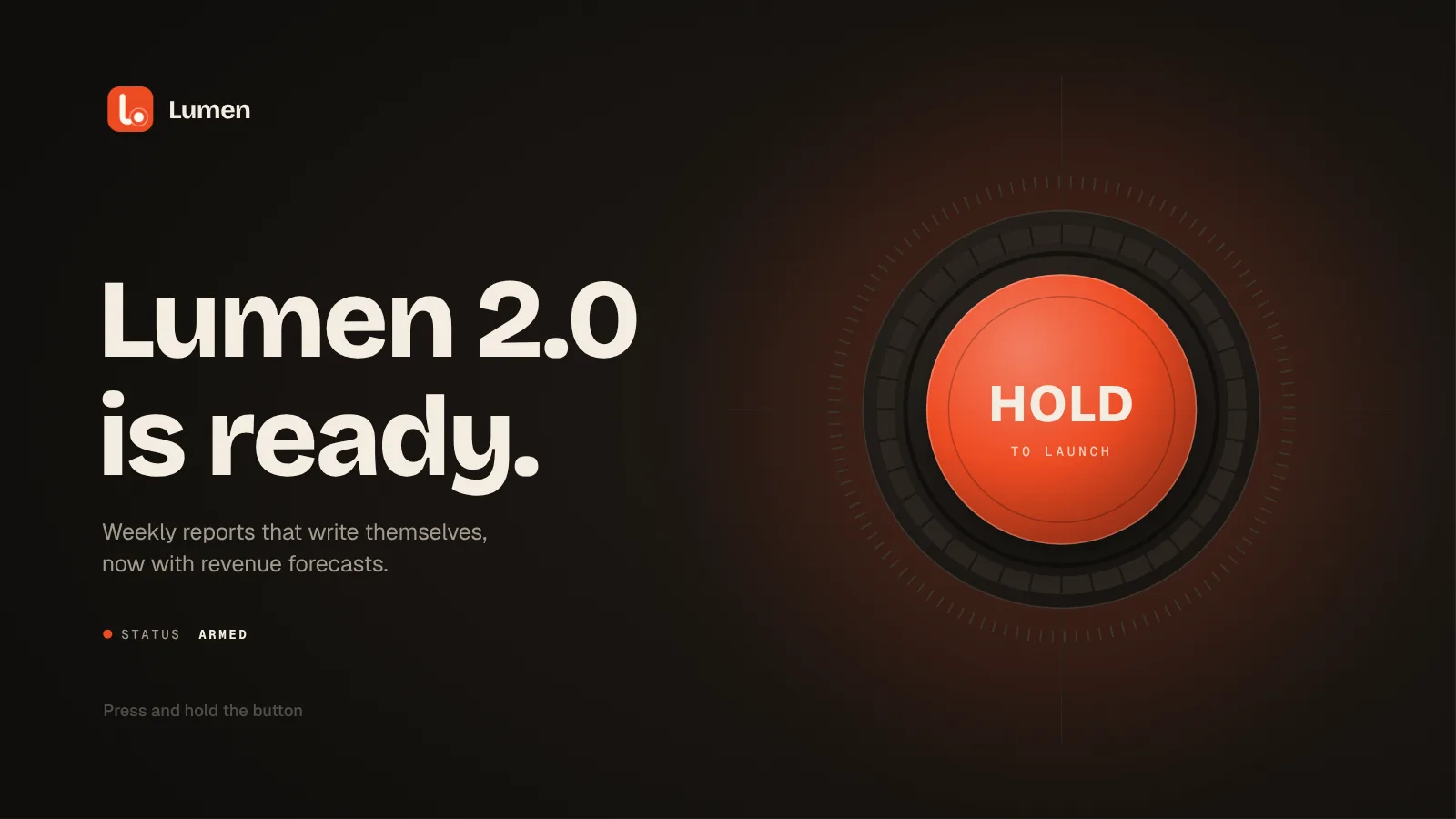
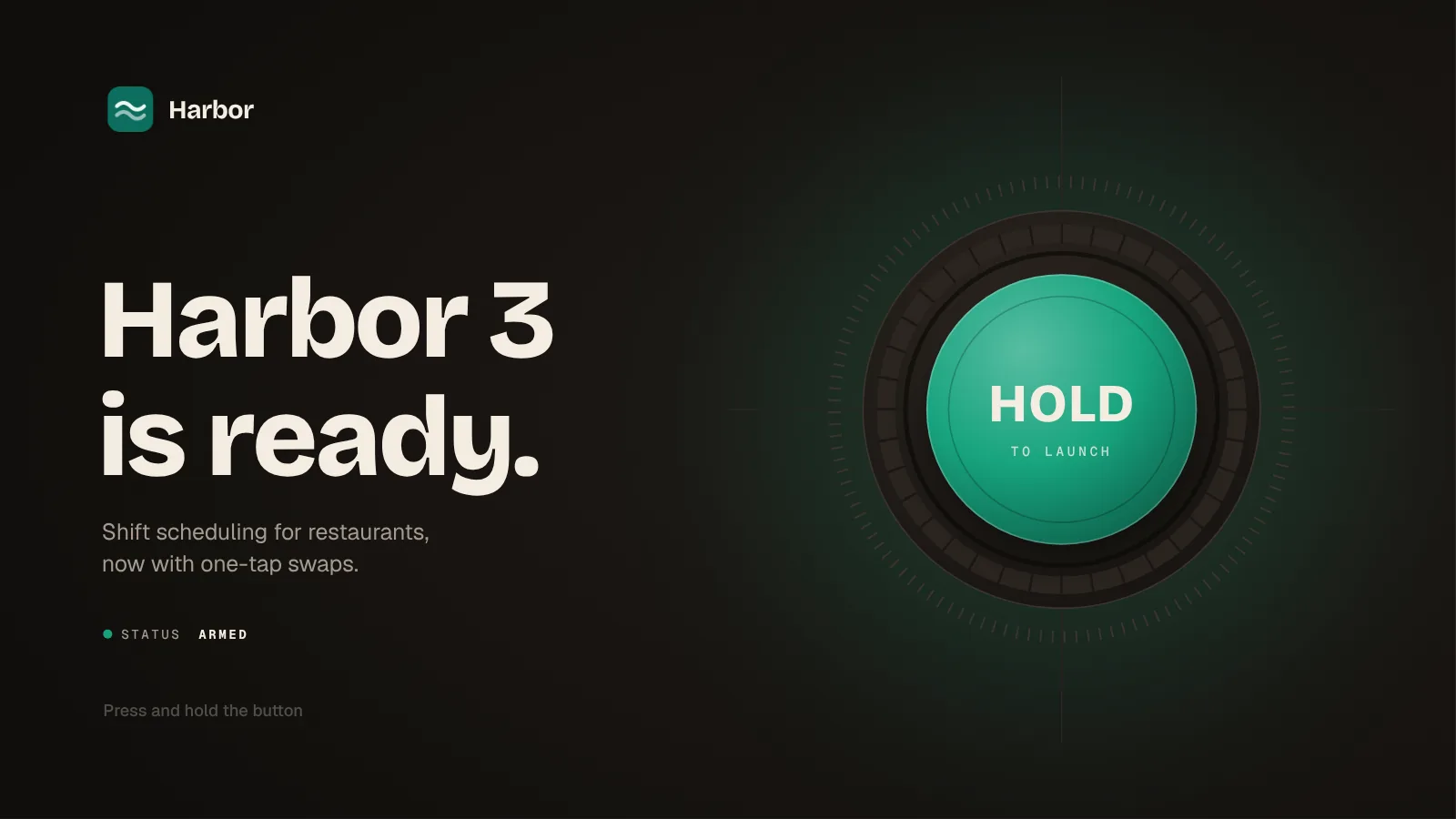
Ignition: hold to launch
The launch button sits in a charge ring of 36 segments. Hold it and the ring fills in two seconds while the countdown runs inside the button and the dial starts to shake; let go early and everything winds back to rest. Hold to the end and it fires: a flash, a shockwave, sparks, and the product rises with three features snapping into place around it.
Gesture and timeline
- idle 0.9 to 1.4 s loops until you press
- holding plays charge 1.4 to 3.4 s
- letting go reverses it to 1.4 s
- at 3.4 s the launch plays on, then 6 to 9 s loops
Change it by name
- headline-line-1, headline-line-2, headline-live
- subhead-1/2, feature-1..3-label, cta-label
- logo, product-image (16:10)
- every layer named (brand color)
The problem
Launches are usually announced with a screenshot or a video that people watch for a second and scroll past. I wanted announcements that ask for one small gesture, so the launch happens when the visitor makes it happen.
My role
Concept, visual design and motion for four heroes, built in SVGator through its MCP with Claude, plus the page script that maps each gesture to the timeline with the SVGator Player API.
The result
Four reusable templates, each in two brands. Lumen is the original; Harbor was made by editing 31 to 37 layers by name through the MCP, in under three minutes per hero. The files on this page are the SVGator exports.
Tear-open box: drag to unbox
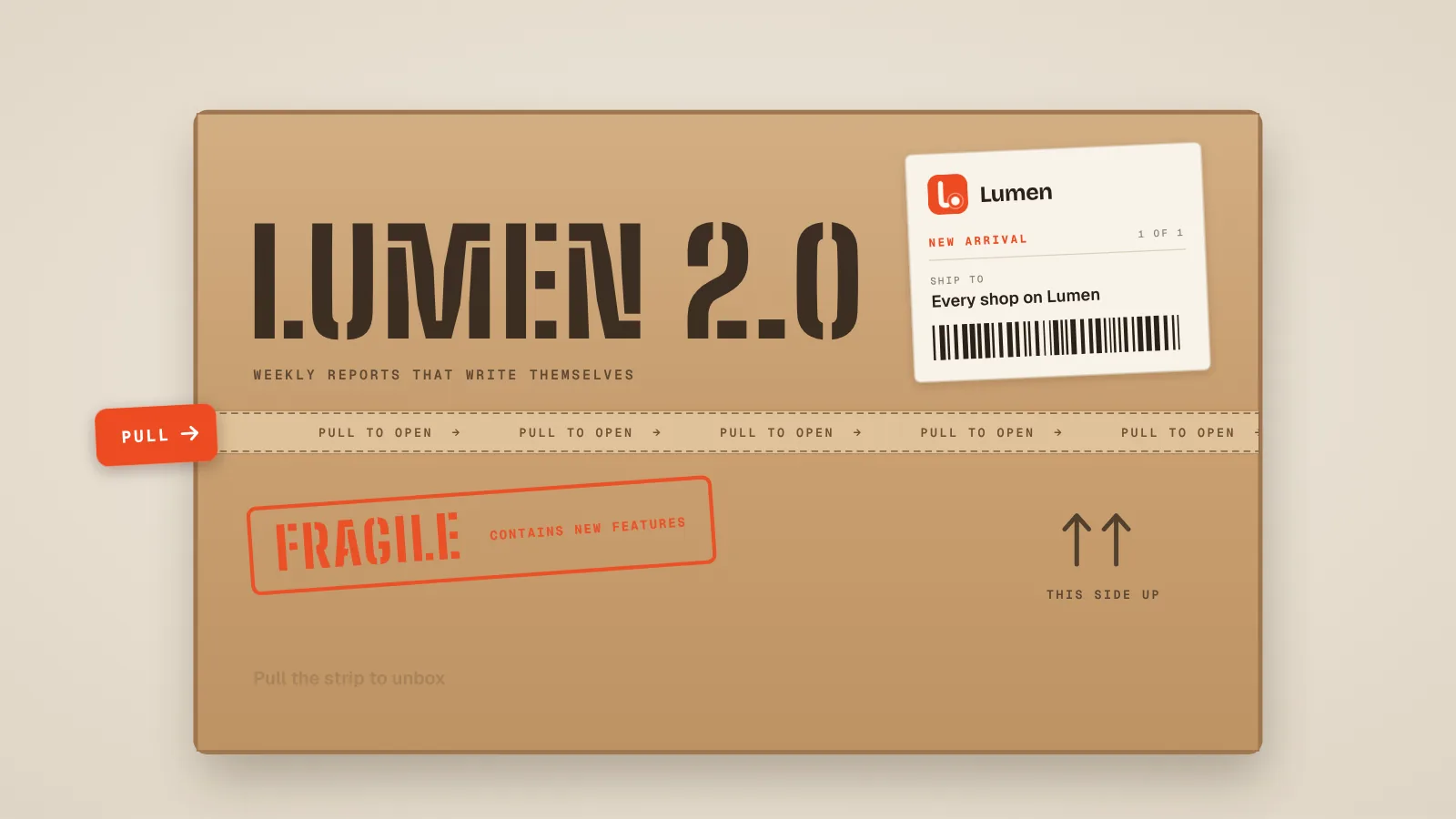
The release arrives as a parcel with its name stencilled on the lid. Drag the tab and the strip tears at the speed of your hand; past 80% the box finishes by itself: the flaps fold back, light comes out and the product rises, with the features slapped on as stickers. A tear does not wind back: let go and the strip stays where you left it.
Gesture and timeline
- idle 1 to 1.8 s loops, the tab nudges
- dragging scrubs tear 1.8 to 3.8 s, forward only
- past 80% it plays open 3.8 to 6.8 s
- then 6.8 to 9.8 s loops
Change it by name
- headline (stencil print), subline, label texts
- stamp, badge-line-1..3, feature-1..3-label, cta-label
- logo, product-image (16:10)
- strip-mask and torn-mask follow the tear
Event pass: tilt, flip, tear
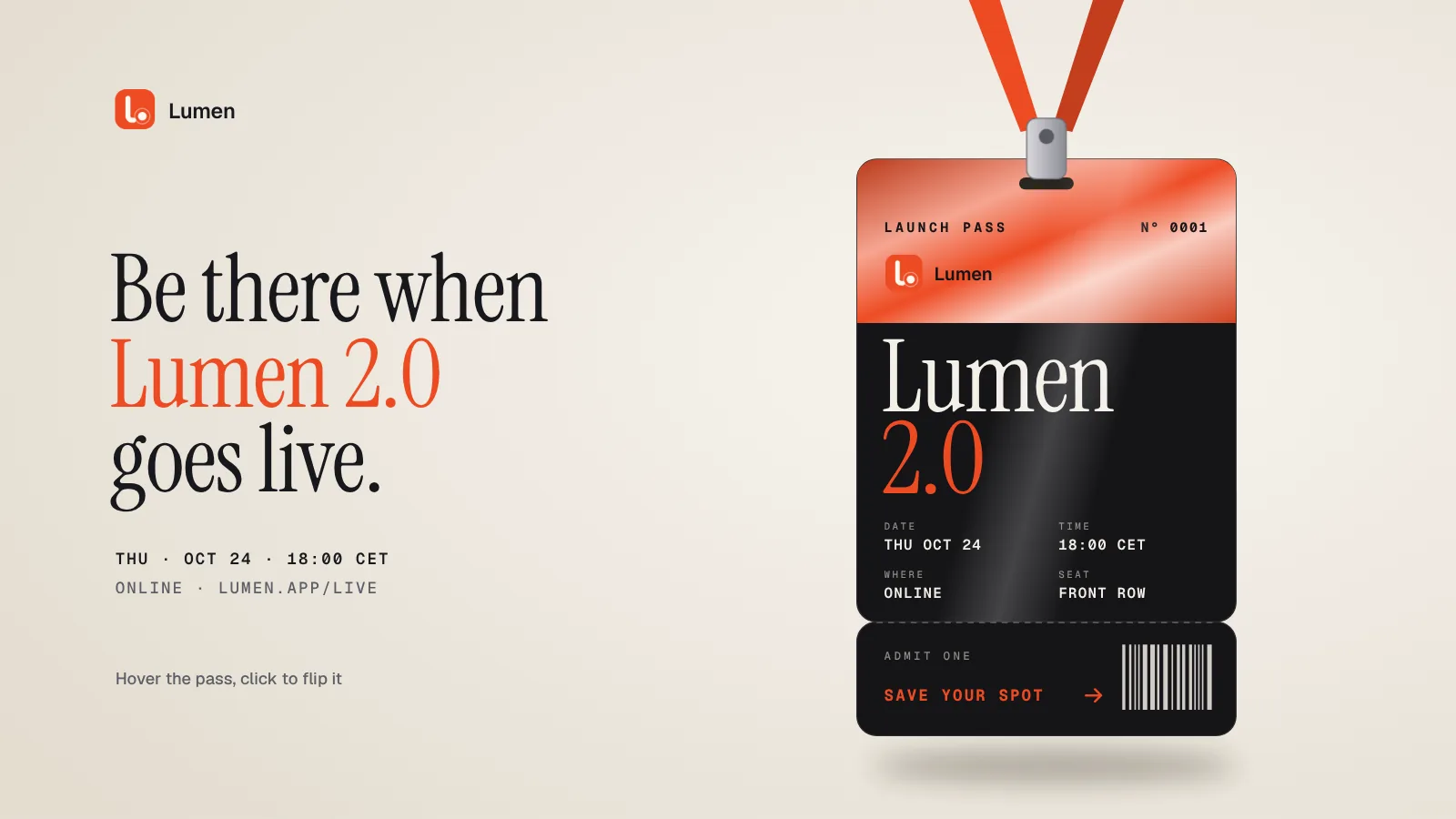
An invitation you can pick up. Move the pointer across the pass and it tilts, with the holographic foil and the light moving over it: the pointer position picks a point in a tilt segment. Click to turn it over and read what is new; click the stub to tear it off and get stamped in.
Gesture and timeline
- pointer x picks tilt 1.1 to 3.1 s (left 1.6, centre 2.1, right 2.6)
- a click plays flip 3.1 to 4.25 s, a second one reverses it
- the stub plays tear 4.25 to 5.8 s
- then 5.8 to 7.8 s loops
Change it by name
- headline-line-1..3, details-1/2
- pass-product-1/2, grid-1..4, stub texts
- feature-1..3-label, logo, pass-logo, product-image
- lanyard, foil and every (brand color) layer
Feature deck: one card per click
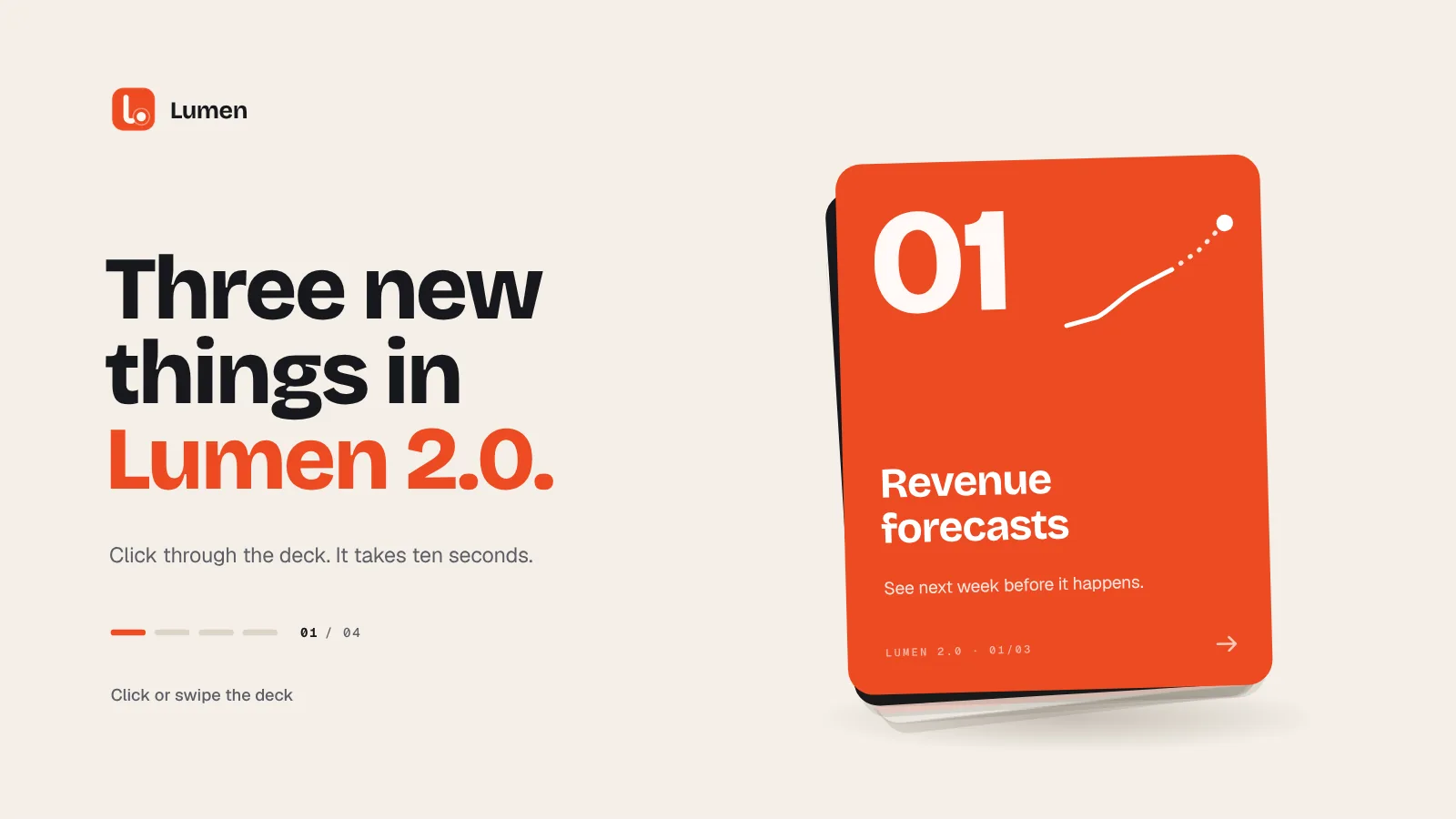
Three new features as a deck of cards. Each click or swipe throws the top card away with a small wind-up; the next one straightens with a bounce and draws its illustration. The fourth card is the call to action. The page pauses the timeline at three stops, and that is all the interaction there is.
Gesture and timeline
- the intro deals the deck from 0 to 1.3 s
- the page pauses at 1.3, 2.2 and 3.1 s
- each click plays to the next stop; a click during a throw is queued
- after the last card 3.1 to 4.8 s, then 4.8 to 7.8 s loops
Change it by name
- headline-line-1..3, subhead
- card-1..3 title, body and footer
- cta-title-1/2, cta-label, cta-url, product-image
- the illustrations are paths: redraw them per feature
One template, any brand
Every hero was generated through the SVGator MCP and stays an ordinary SVGator project. Everything a brand changes is a named layer: a text layer for each line, image layers for the logo and the product screenshot, and every colour that follows the brand carries (brand color) in its name. A note beside the canvas, outside the artboard, lists the layers and the timeline segments: you see it in the editor and it never shows up in an export.
The Harbor version of each hero is a duplicate of the Lumen one, changed by a script that compares the two content sets and sends only the differences to the MCP, layer by layer:
- Ignition
- 34 editsin 145 s
- Tear-open box
- 33 editsin 85 s
- Event pass
- 37 editsin 98 s
- Feature deck
- 31 editsin 76 s
Key decisions
Gestures are timeline segments.
Each hero is one SVGator timeline cut into named segments. The page only plays, pauses, reverses and seeks it through the Player API, so the motion stays editable in SVGator and nothing is animated twice.
Each gesture keeps its object’s physics.
A held button winds back when you let go, a torn strip stays torn, a flipped pass flips back. Borrowing the object’s behaviour is what makes the gesture readable without instructions.
Light enough to edit.
Shapes are reused and only what moves is animated: about 80 to 150 layers per hero, 330 to 380 KB with fonts and images embedded, so the files open smoothly in the SVGator editor and load quickly here.